YOUR FLIGHT COLLECTION
OBSIDIAN Desktop
A home for your flight simulation collection. The wider OBSIDIAN manager is in development; the existing livery application remains available today.
01 / THE WIDER COLLECTION
One considered library.
An illustrative dashboard for the broader suite. Concept only, not an available download.
YOUR FLIGHT COLLECTION
A home for every detail.
Library dashboard · Wider suite concept

Concierge
Private aviation
Development concept · Not installed
Global Lounge
Arrival & departure
Development concept · Not installed
02 / THE AVAILABLE LIVERY APP
AVAILABLE FOR WINDOWS
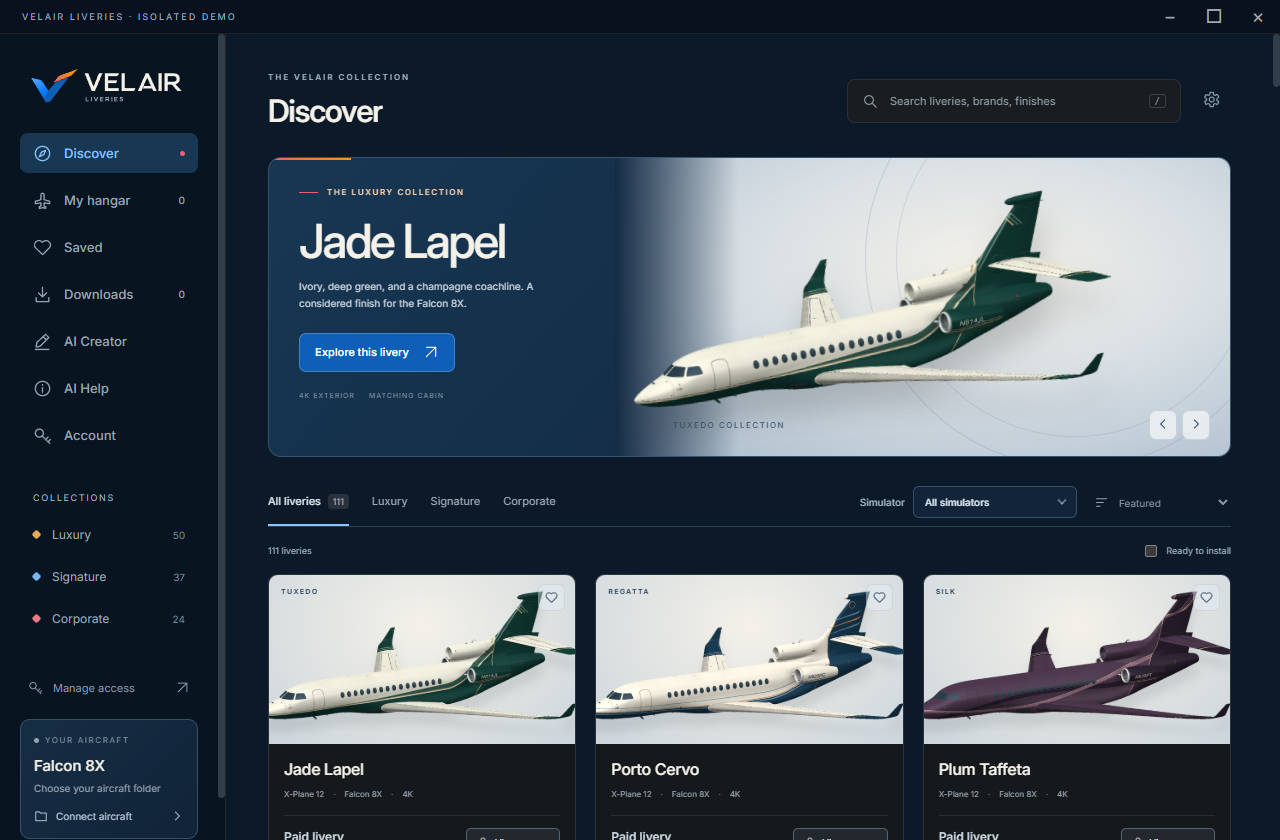
Livery desktop app
The existing Velair Windows app continues to manage your livery collection. Your account and paid livery licences remain valid. This download is not the full OBSIDIAN Concierge or Global Lounge collection.
Checking latest release…
03 / INSTALLATION
Installing the existing app
- Use Extract All on the entire Windows bundle. Keep its folders together.
- Open
Velair Liveries.exe. KeepLibraryandresourcesbeside the application. - Choose Connect aircraft and select the Aerobask Falcon 8X folder containing
Falcon8X.acf. - Open a compatible livery and choose Install. Use Manage access to import your
.velair-licensefor paid liveries.